Reading a scored call
What the scores mean, and how to check the evidence behind each one.
On this page
Open a call to see its score, the skills behind it and the transcript.
What the scores mean
Skills are scored from 1 to 5. Every score comes with a word, so you never have to remember the numbers.
| Score | Word |
|---|---|
| 4.0 and up | Well done |
| 3.5 to 3.9 | On track |
| 2.0 to 3.4 | Coaching opportunity |
| Under 2.0 | Growth area |
Some criteria are simple checks instead. They show Pass or Missed and don’t count toward the score.
What you see on a call
- Call score: the overall result for the call.
- Skills: the score for each skill, with the AI’s reason in plain words.
- Show evidence: the quotes from the call that led to the score.
- Transcript: the full conversation. Choose the time next to a quote to jump to that moment.
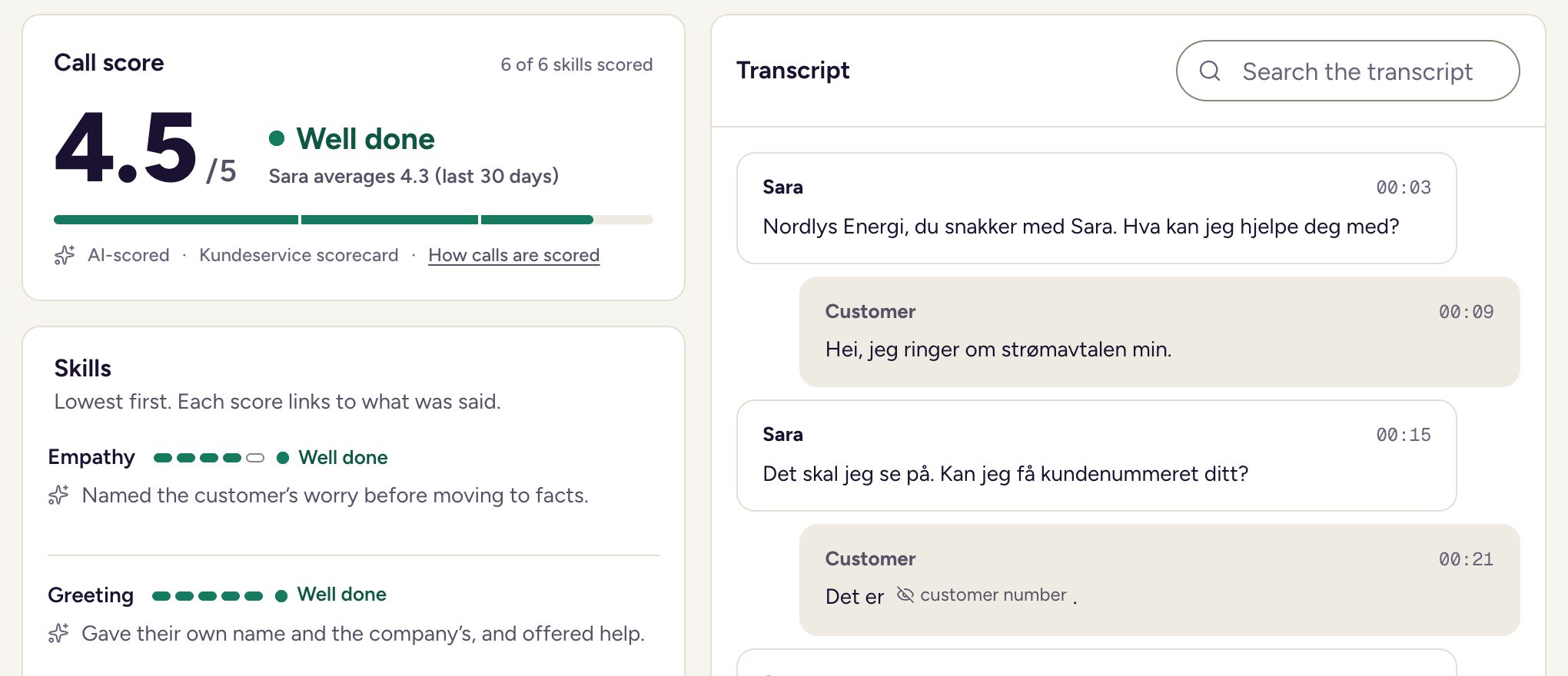
You can also see the AI’s read of the customer’s mood and how much the agent talked. Talk figures are not part of the score.
Search the transcript
Use Search the transcript to find a word or phrase. It shows which match you are on, for example 2 of 5. Use Next match and Previous match to step through them, or press Enter.
Corrected or as scored
A transcript can contain a misheard word. When likely mistakes were fixed automatically, you can switch between two views:
- Corrected: the transcript with the fixes. Select a fixed word to see what was heard and what it was corrected to.
- As scored: the transcript exactly as the AI read it.
Scores and evidence always use the transcript as scored. If a quote looks different from the corrected text, switch to As scored.
Details about the call
Under the call title you see the team, the queue and the Contact reason. The AI adds two more details:
- Customer sentiment: the AI’s read of the customer’s mood, from Very negative to Very positive. Select it to read why.
- Keywords: the words that stood out in the call. Open the list to see them.
These details don’t change the call score.
Should have been transferred
Some calls were never meant for the first line. If a call matches one of your call handling rules, it shows Should have been transferred, with the AI’s reason. Skill scores on that call are left out of averages and of generated training.
Scores hidden during a blind review
If a call is in your blind review queue, you can’t see the AI’s scores yet. A banner says so, and the Call score card shows how many skills and checks are hidden.
- Choose Start review and score the call yourself.
- Submit your review.
- The AI’s scores, reasons and evidence now appear next to yours.
Updated